Austin, TX

AI Consulting for Small Business in Austin

I’m Daniel Sidler. I run Millwright Labs, I own a small business in Austin, and I taught myself to make AI carry real work inside it. If you pay for ChatGPT, Claude or another subscription and barely touch it, I’ll sit down with you, find the work that repeats every week, and set it up to come off your desk.

Book a free 20-minute call

No charge and nothing to sign, and you’ll be talking to the person who would do the work.

Austin & Central Texas

Who this is for

Owners whose week runs on an inbox and a calendar

Around Austin and Central Texas, the businesses I have in mind run their week out of an inbox, a calendar and a screen of open tabs. Trades and service companies are welcome, and that is my own background, so nobody has to explain what a bad morning on site does to the schedule.

Most of what this fixes never made it onto anyone’s list. The same email typed out for the fourth time this month, the same numbers copied between two places that have never spoken to each other.

Plenty of owners already pay for AI. They use it to answer questions, and nobody has shown them the agent side, the part that opens a file or fills in a form. Getting that working is usually the whole job.

This is practical setup for a business with a few people in it, not an enterprise AI overhaul.

The work

The audit, and what comes after it

Systems Audit

I come to you, anywhere in Austin or Central Texas, and we walk a normal week end to end, hunting the parts that repeat. Then we point the AI subscription you already buy at that work, sorting the chat box from the agent side you have never been shown, giving it a memory of your business, and connecting it to your own files. You keep the written plan whether or not you hire me to build anything, and you’ll know how to run it.
Build & Install

If the audit finds something worth putting in, we scope it as a project with a start date and a finish. I build what the plan calls for, fit it to the way your shop already works, and stay on it until it holds up under a real week. At handover it’s yours outright, the build and the accounts and the logins, and you never rent it back from me.

First job

I built it for my own company before I offered it to anyone

The first company I did this for was mine, a small restoration company in Austin. Photos lived in Google Photos, quotes and notes in Google Drive, client email in Gmail, and none of them could show me a whole job at once.

Today it runs on a CRM built out of its own job data, lead handling nobody has to touch, and AI helpers that carry the back-office weight. No decision gets taken out of my hands. Overnight work happens in a walled-off copy, and my phone gets an Approve or Deny before any of it is real.

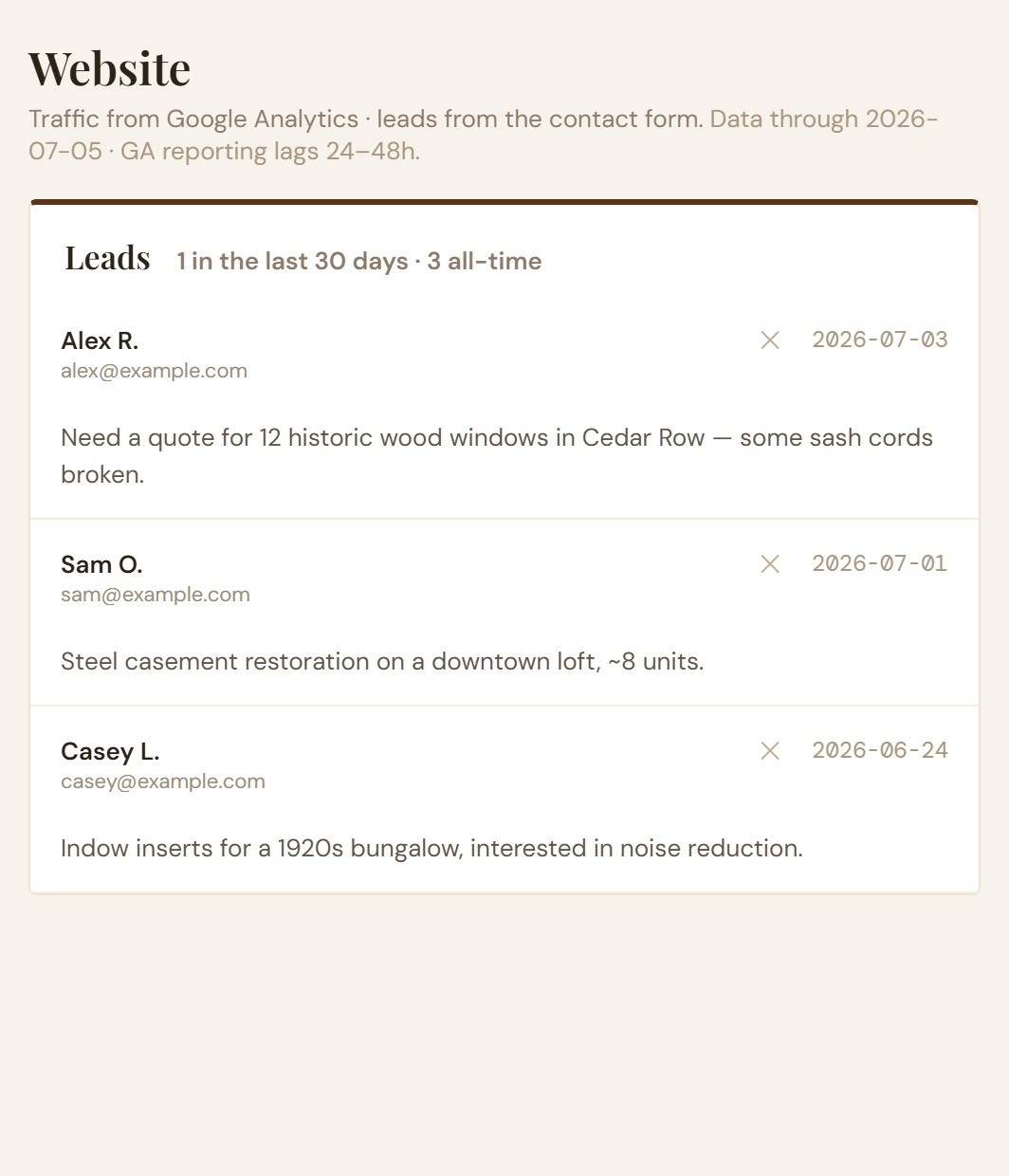
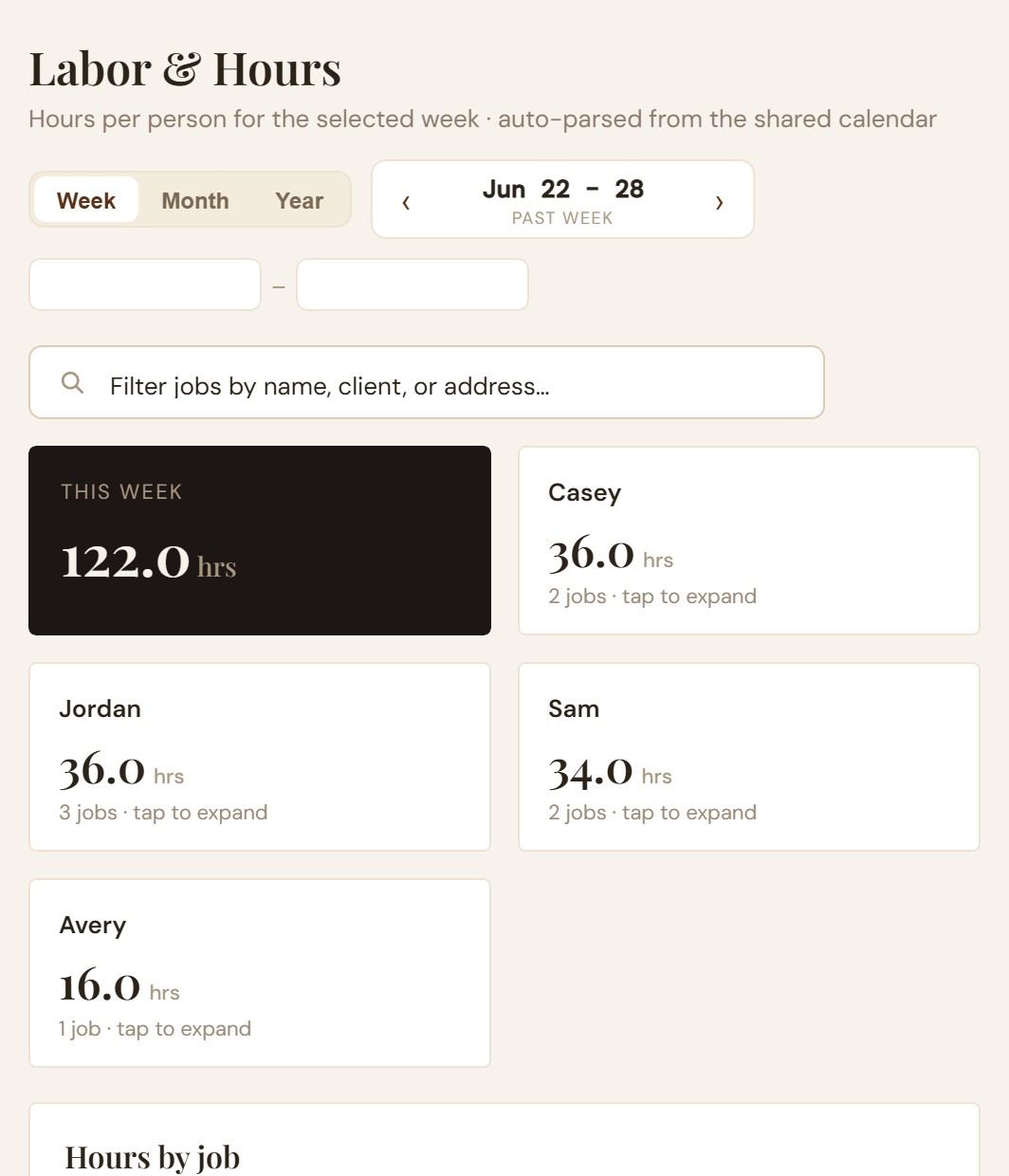
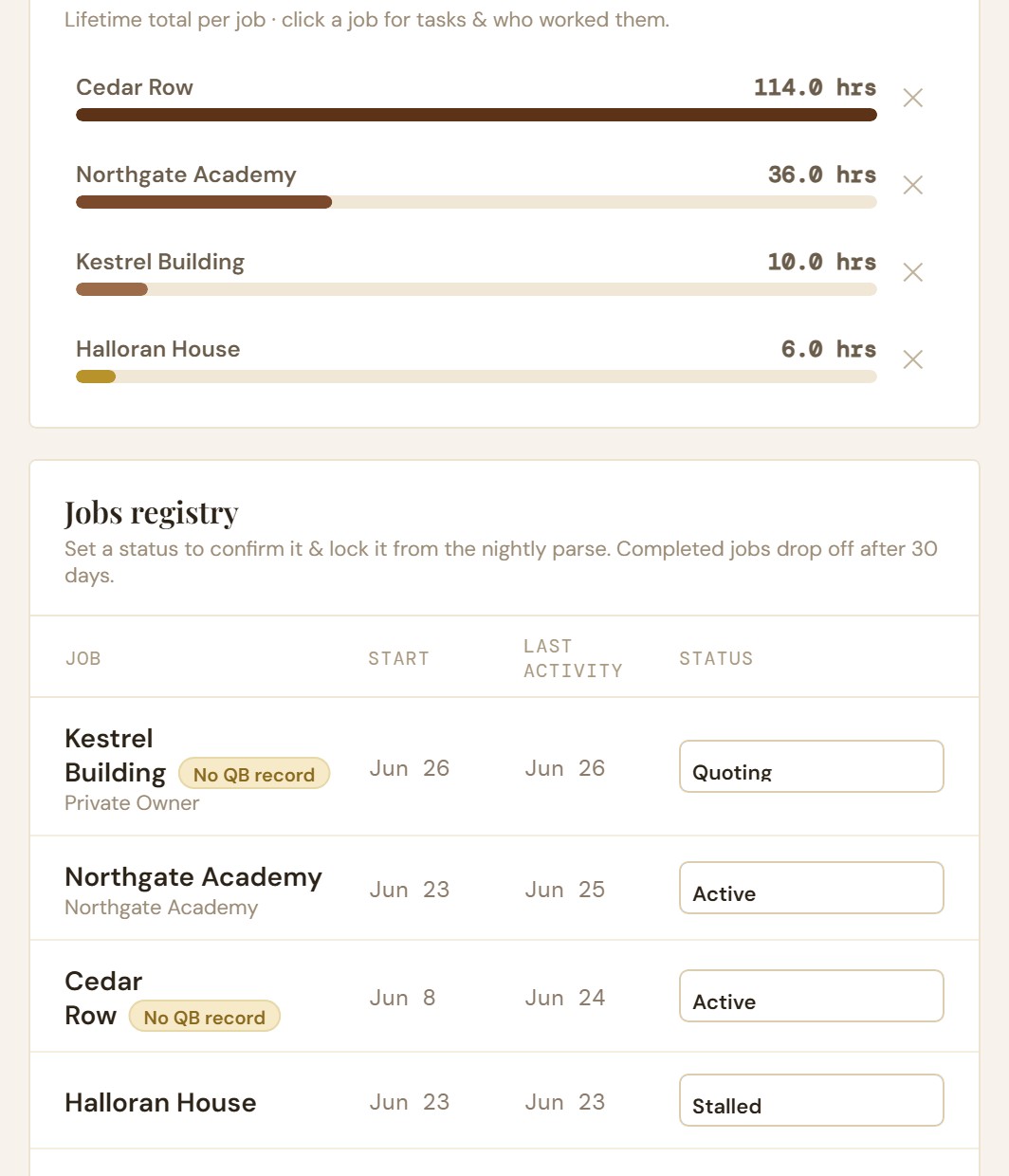
The labor screen: hours per person for one week, pulled automatically from the shared calendar, with a total of 122 hours across four people. Hours totalled per job as bar rows, above a jobs registry listing each job with its start date, last activity and a status of quoting, active or stalled. The website screen: contact-form leads listed with the sender, the date and what they asked for.

Three screens from the CRM my own company runs on. Client names and job details have been swapped for stand-ins.

How I work

What you keep, and who stays in charge

You keep the keys

Every account opens in your name and every file lands on your drive. If you decide a year from now that you want somebody else on it, or nobody, nothing of yours stops running.

Guards on the machine

The usual worry is that an agent goes off on its own and does something stupid to your files. So every setup I put in is fenced. It works on a copy, it asks before it deletes or sends anything outside the company, and the stop button stays in your hands.

Teaching is the default

By the time I pack up you should know why the setup works and what to change when the business changes. If you’d sooner hand it over and never open the hood, say so and I’ll run it for you.

I’m not a programmer

I’ve never claimed otherwise. I built my own company’s systems by telling AI tools what I needed and correcting them until the thing worked, and that’s the method I’d teach you.

The agent side

Most of what you pay for is the part nobody opened

If you carry one of the big AI subscriptions, the question-and-answer box is maybe a fifth of what your money bought. The rest can open a file, read your calendar, fill in a form, and carry a job from the first call to the invoice while you are out on a site.

Hardly any owner gets shown that side, so a tool that could be taking work off the pile gets used like a search bar while the subscription renews.

Service area

Austin and Central Texas, in person

I’m based in Austin and I come to you: Austin, Round Rock, Cedar Park, Georgetown, Pflugerville, Leander, San Marcos, Kyle and Lakeway. If you are a short drive past one of those, ask me anyway.

Being local is most of the point. I can stand in your shop and watch the work instead of hearing it described over a video call. What I put in here gets built around how business gets done here, not lifted from a national playbook with the city name pasted in.

The 20-minute call ends with my honest read on whether anything here is worth your money. Sometimes the answer is no.

Free call

Start with a free 20-minute call

The call runs about twenty minutes and there’s nothing to sign at the end. I’ll ask what a normal week looks like and where the same work keeps circling back, then give you a straight answer about whether this is worth paying for.

Leave a few lines below and I’ll write back to find a time. The reply comes from me, because I’m the only one here.

Questions

Questions before the call

Do you only work with Austin businesses?

Austin and Central Texas are the focus, because the audit starts with me in your shop watching a normal day. Elsewhere in Texas, ask and I’ll tell you whether it works from a distance.

I already pay for ChatGPT or Claude. Do I need another tool?

Usually no. The first job is making the subscription you already have do the repetitive work, which means a memory, access to your files, and a fence around what it can touch. If something else is needed I’ll say so first.

What is the difference between a Systems Audit and Build & Install?

The audit finds the work that repeats in your week and leaves a written plan you own. Build and Install is the project that follows when the plan turns up something worth putting in. Stopping after the audit is fine.

Will I be locked into you?

No. Teaching you the setup is the default, and everything runs in accounts that carry your name. Keeping me on afterward is available and never a condition of anything.

Do you work with trades and restoration businesses?

Yes, and that is where I started. My own company is a small restoration company in Austin, so a week broken up by site visits and callbacks is familiar ground.

Is there a charge for the first call?

No. It takes twenty minutes and there’s nothing to sign afterward. If I don’t think I can earn my keep on your business, I’ll tell you on the call.